A LITTLE HELP WITH THE DETAILS
How to choose a photo for a video invitation
Start with a photo you like, then check how it fits the invitation frame. Hold Dear Studio’s proposed motion package uses one supplied photo in a chosen composition, so the original file and the room around the people matter more than adding many images.
Send the original, with space around faces
Use the original photo when you have it, rather than a screenshot of a social post or an image with text already added. Check that the eyes and expressions are clear at a phone-sized preview. Leave room around the head, shoulders and anyone standing together. A tight crop cannot reveal areas that were never captured. Supply a photo you have permission to use and that the people pictured are comfortable sharing.
Match the picture to the frame
Lilac Hour uses layered photo prints around a large portrait. A simple background gives the lavender ribbon and cherries room to sit beside the person. Riviera Table places a couple inside an arch: check both faces and the space above their heads. After Hours uses a film-strip edge with a friends portrait; the sides of the frame need review if people stand close to the image boundary.
Review the actual composition
No single aspect ratio guarantees a good result. The invitation canvas is 1080 × 1920, but the photograph occupies only part of it. Keep the original file until the final proof is approved. In the proof, check faces, hands and significant clothing as well as the names and date. These samples use generated portraits and fictional events; they demonstrate layouts, not completed customer orders.
Know what the photo service includes
The proposed $79 package includes one supplied photo, one 12-second silent MP4 and one matching JPG. One consolidated wording and crop revision is included within the chosen layout. A replacement photo after composition or a different concept requires a separate scope. English is the standard proposal; other wording needs a fit check. Confirm availability and delivery timing before payment.
The local preview only edits wording. It does not upload your photo, generate a personalized video or submit an order. Review the complete proposed deliverables before comparing the service with a DIY template.
See the ideas in a design
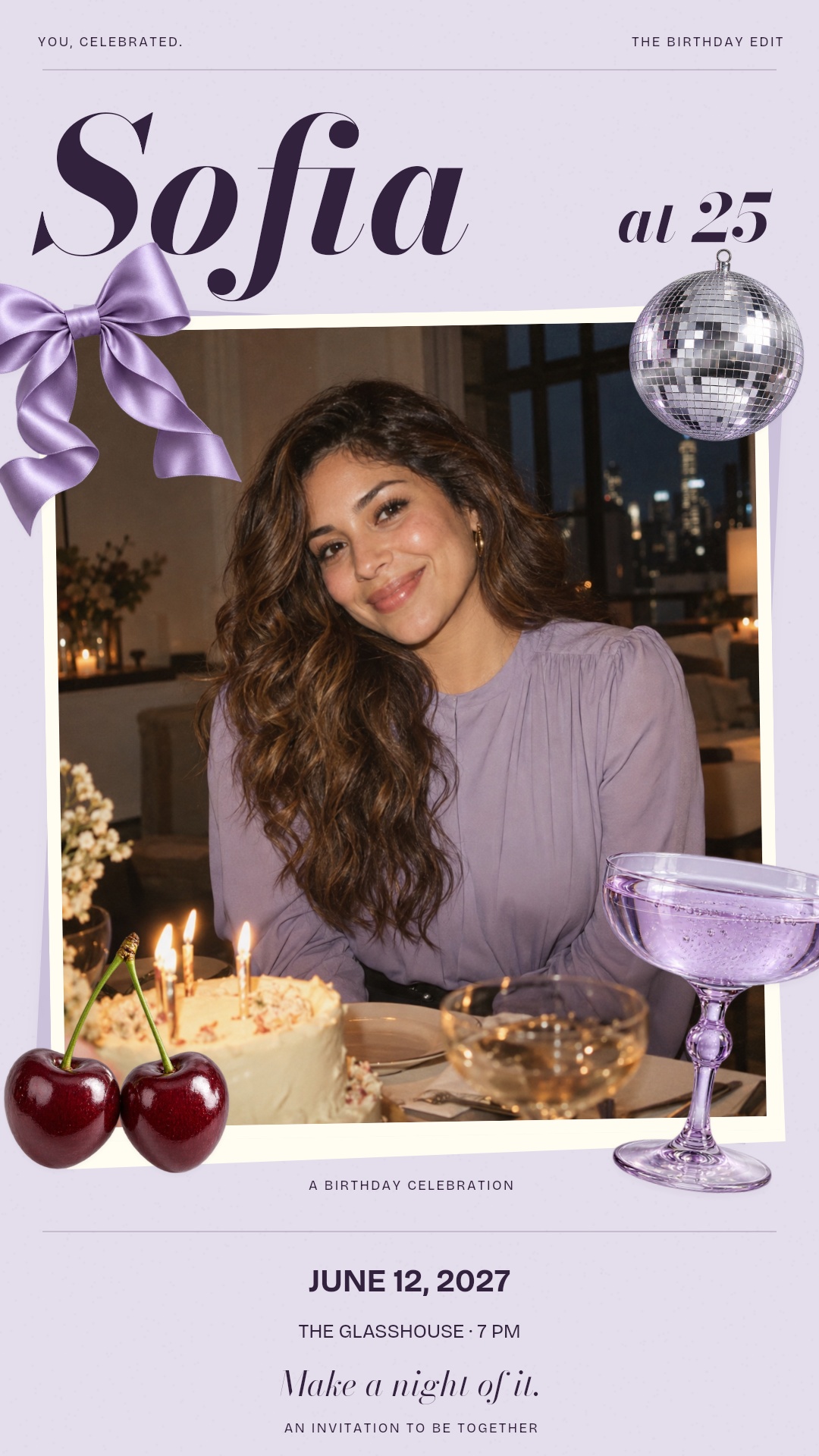
ADULT BIRTHDAY · PHOTO COLLAGE
Lilac Hour
A large personal portrait on lavender paper with expressive italic lettering. Layered photo prints, three-pose satin and cherries, a softly moving liquid surface and a reflective mirror ball surround your photo.
Photo design · English sample wording
Explore this design ↗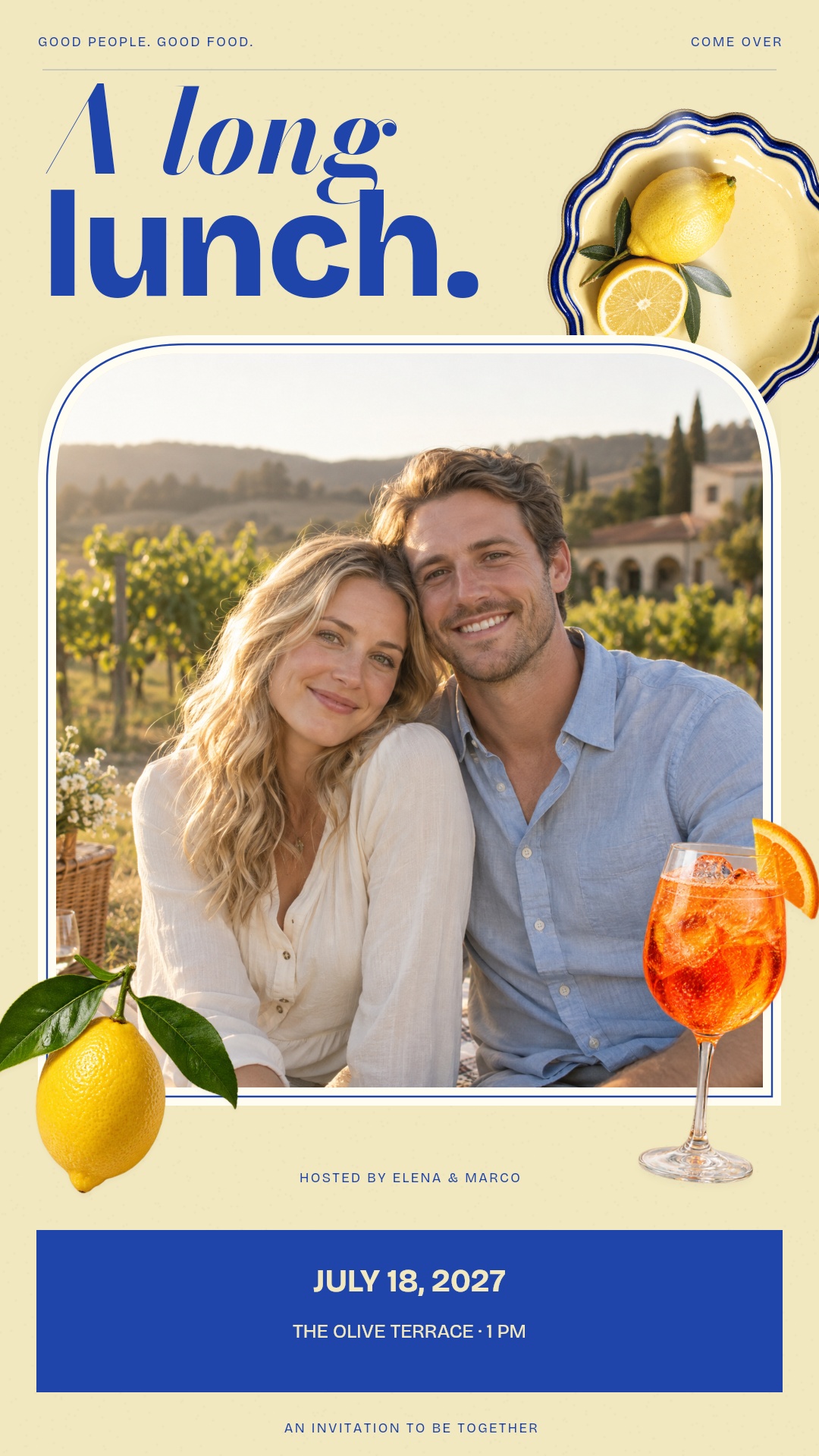
DINNER PARTIES / ANNIVERSARIES
Riviera Table
A large couple portrait, butter-yellow paper and bold cobalt type. A rounded arch frames the photograph, with turning ceramic, citrus in three poses and a softly moving spritz.
Photo design · English sample wording
Explore this design ↗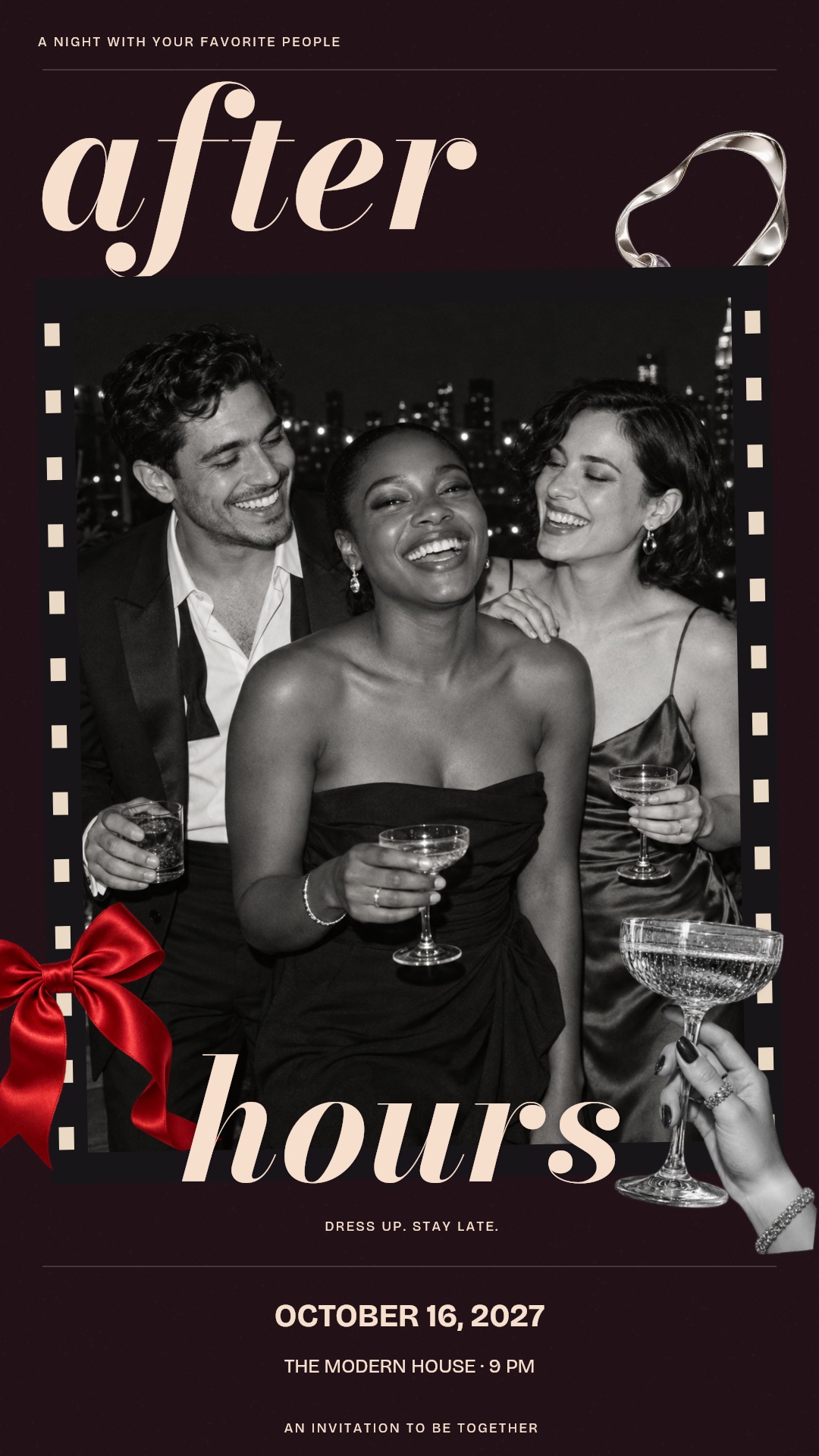
BIRTHDAYS / PRIVATE PARTIES / LAUNCH NIGHTS
After Hours
A large black-and-white flash portrait on dark plum paper. Film edges frame the portrait. Fluid italic lettering, a turning silver loop, red satin in three poses and a champagne toast arrive in separate layers.
Photo design · English sample wording
Explore this design ↗Keep planning
IDEAS & WORDING
Birthday invitation wording: clear details, personal tone
A practical checklist and three editable examples for a birthday that sounds like you.
Read the guide ↗IDEAS & WORDING
Save the date vs. invitation: what each one should say
Choose the right message for an early announcement and the details that follow.
Read the guide ↗IDEAS & WORDING
Video invitation or event page? Choose the right format
Compare what guests receive, what you can update and where replies actually go.
Read the guide ↗IDEAS & WORDING
What does a custom photo video invitation include?
Compare deliverables and revision scope before comparing prices.
Read the guide ↗IDEAS & WORDING
Custom video invitation or editable template?
Choose by the work you want to do and the files your guests actually need.
Read the guide ↗